Halloween setup and downloads

Set up your Halloween show.

Get your downloads and follow the USB setup steps. If you have an active purchase, sign in with the same account on your computer.

← Back to Halloween

Your Halloween downloads

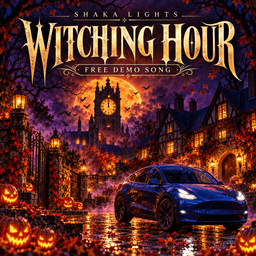
Witching Hour – Free Light Show cover illustration

Witching Hour – Free Light Show

A free single from the Witching Hour album: one original EDM song with a staged drop, 2 minutes 58 seconds.

Free. Account required. No card or subscription needed.

Use a computer to prepare the USB drive, then follow the setup steps below.

Checking your account…

Prepare the USB drive

01

Back up your drive

Formatting erases a drive. Back up anything important and use Tesla’s current instructions for supported formats and USB ports.

02

Extract the package

Copy the included LightShow folder to the drive’s root. Keep the supplied FSEQ and audio filenames unchanged. Read the included instructions.

03

Run a complete test

Park in a safe, clear location. Follow the vehicle’s Toybox prompts. Test the whole show before Halloween and keep volume considerate of neighbors.

Tesla’s official custom light-show instructions ↗

Something didn’t work?

My purchase is not showing

Check that you are signed in with the purchase account. Wait for payment confirmation, then refresh. Contact us rather than buying the same pack again.

The vehicle cannot find the show

Check that the LightShow folder is at the top level of the drive, the supplied filenames are unchanged, and the drive is in a supported format and USB port.

The download link expired

Return to this page while signed in and request another link. An expired link is not the same as an expired purchase.

Can I leave people next to the car?

Keep the car and any movable parts clear. The initial pack uses lights-only choreography, but you must still follow Tesla’s safety guidance. Do not run shows while driving or where they could distract traffic.

Need a hand?

Tell us the vehicle model, software version, and the step that failed. Never send card details.

IP Geolocation by DB-IP